
Finger numbers are small numbers above or below the notes in piano music. They help a child put the right finger on the right key, so the music flows without stops. This guide explains what the numbers mean, and how to get suggestions for your child's own score in Pianu.
What do piano finger numbers mean?
Each finger has a number. The numbers are the same on both hands:
| Number | Finger |
|---|---|
| 1 | Thumb |
| 2 | Index finger (the pointer) |
| 3 | Middle finger |
| 4 | Ring finger |
| 5 | Little finger |
A 3 above a note means "play this note with the middle finger". For the right hand, the thumb is on the left side of the hand. For the left hand, the thumb is on the right side. So the same number can move in opposite directions on the keyboard, and young children often need time to get used to that.
Most beginner music does not put a number on every note. It shows a number where the hand starts, or where the hand must move. Between the numbers, the fingers usually stay in place, one finger for each key.
Why do finger numbers matter for young children?
A child who uses the same finger for every note has to jump and look down all the time. Good fingering keeps the hand in one place for longer. The music sounds smoother, and the child can keep their eyes on the score.
Finger numbers also make practice the same each time. When your child plays a bar with the same fingers every day, the hand learns the pattern. If the fingers change every time, the bar stays hard.
They help you as a parent too. You do not need to play piano to see that the number says 2 and your child used 4. A quick, kind question, "Which finger does the number say?", is often all the help they need.
How do I teach my child the finger numbers?
Short games can help at ages 4 to 7. Try one for a minute or two before practice:
- Trace your child's hands on paper. Write 1 to 5 on the fingers together.
- Call out a number, and your child wiggles that finger. Then switch hands.
- Put both hands flat on the table and tap 1, 2, 3, 4, 5, then back.
- Play a "finger number" version of the song: you say the numbers while your child plays.
Keep it light. If your child mixes up the hands, that is normal. It comes with time.
At the piano, start with a simple hand position. Put the right thumb on a key, and let one finger rest on each of the next four white keys. Now 1, 2, 3, 4 and 5 each have their own key. Many first songs stay in a position like this, so the finger numbers match the keys directly. Your child's teacher may use a different starting key. Follow what they show.
How does Pianu suggest finger numbers?
Pianu can suggest finger numbers for a song, for example a piece you scanned from your child's lesson book. Here is how it works:
- Open the song on iPad and ask for finger numbers.
- Keep using Pianu while it works. The result arrives in Requests in My Songs.
- Review the suggestions. Compare them with the numbers that are already on the page.
- Check them with your child's teacher.
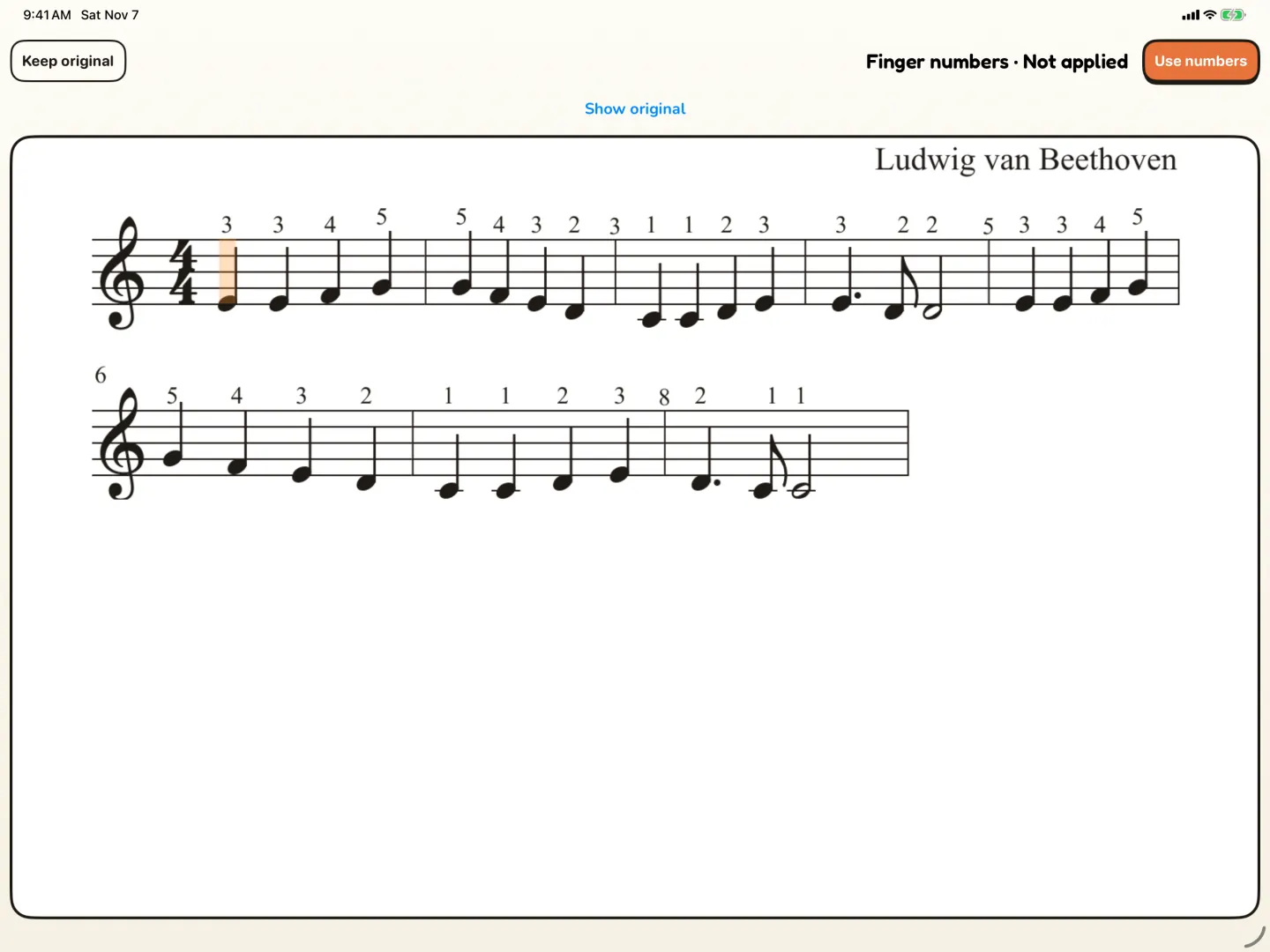
- Choose Use numbers to show them in the score, or Keep original to keep the numbers you had.
The picture at the top of this post shows the review, with Keep original and Use numbers at the top of the screen.
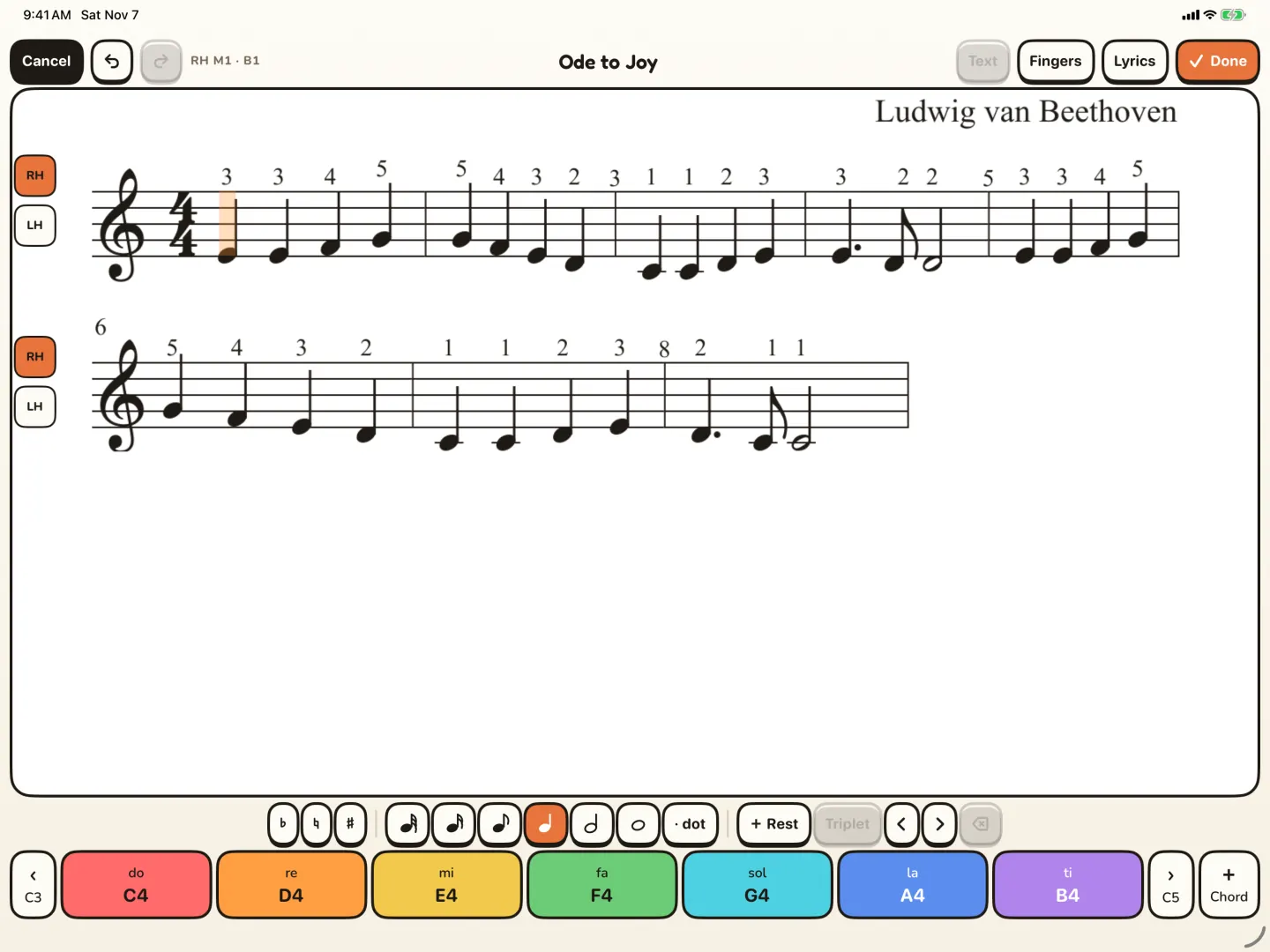
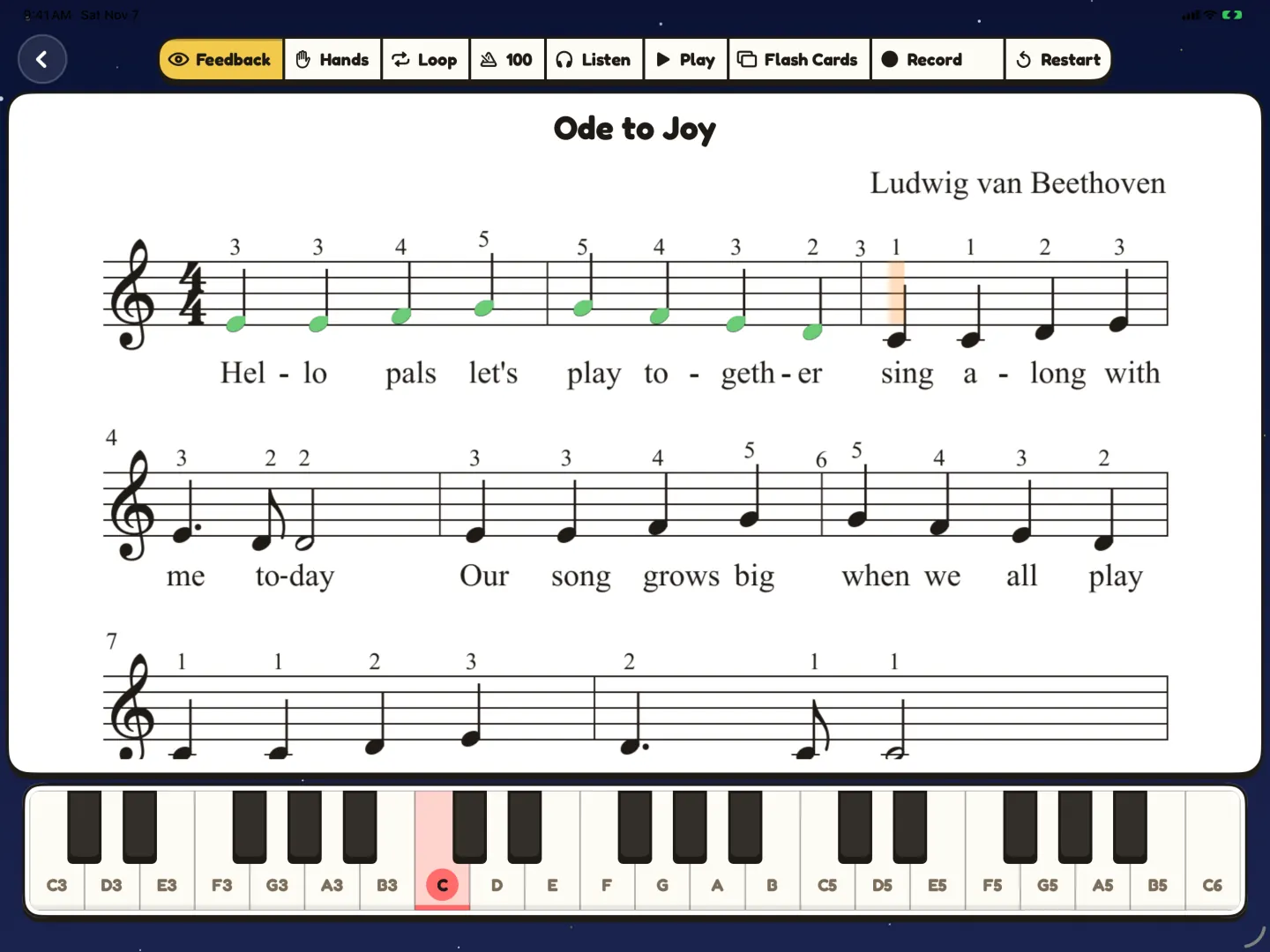
After you choose Use numbers, the numbers show above the notes in the score. The first picture below shows them in the editor. The second shows them in Practice on iPad, where your child plays.
Should we follow the suggestions or the teacher?
The teacher. The numbers in Pianu are suggestions, not rules. A teacher sees your child's hands and knows what they are working on. Sometimes a teacher picks a fingering to train a new skill, even if another fingering looks easier.
Fingering can also change as your child grows. A small hand may need a different fingering than the one an adult would choose. That is one more reason to check with the teacher.
So use the review as a starting point. If the printed music already has numbers from the teacher or the book, compare them with the suggestions. Where they are different, ask the teacher at the next lesson. If you prefer the numbers you had, choose Keep original.
What if a bar is still hard with the right fingers?
Then make the work smaller. Loop that one bar, slow the tempo, and let your child play one hand while Pianu plays the other. Read how to fix the one hard bar for the steps.
To see the full finger-number feature, visit piano finger numbers for kids.
Read more: Finger numbers
Questions parents ask
What if the book and the teacher show different numbers?
Follow the teacher. They see your child's hands and know what they are working on. Ask about the difference at the next lesson.
Why does the left hand also start with 1 on the thumb?
Both hands count from the thumb, 1, to the little finger, 5. On the left hand the thumb is on the right side, so the numbers go the other way on the keyboard.
How can my child learn the numbers at home?
Try short games. Trace your child's hands and write 1 to 5 on the fingers, or call out a number and let your child wiggle that finger.
What if my child keeps using the wrong finger?
Slow down and loop the bar. Before each try, ask "Which finger does the number say?". If a fingering feels wrong for your child's hand, ask the teacher.
Try Pianu free for 7 days.
Try free for 7 days