
Between lessons, the piece that your child's teacher assigned is the most important music in the house. This guide shows how to turn it into a short plan for each day, with Pianu on iPad.
Why practice the assigned piece first?
The teacher picked the piece for a reason. It trains the next skill your child needs, such as a new note, a new rhythm or a new hand position. When home practice follows the lesson, the next lesson can move forward.
Other songs are good for fun. But if time is short, the assigned piece comes first.
A young child also feels proud when they bring the piece back to the lesson and play it well. That feeling is a strong reason to keep going, for the child and for you.
What should I ask the teacher at the end of the lesson?
A short talk with the teacher saves a lot of guessing at home. Ask:
- Which bars should my child work on this week?
- Right hand, left hand, or both hands together?
- How slow is good for now?
- What should it sound like by the next lesson?
Write the answers on the page, or in a note on your phone. Then you know what "done" means for this week.
Take the photo for Pianu after the lesson, when the teacher's marks are on the page. A circle around a bar or a written finger number then stays in the photo, and you can see it again with Show source page.
How do I get the piece into Pianu?
Pianu reads a photo of the printed page into a song. All the practice tools then work on that song.
- In Pianu, open Scan Page. Take a photo of the printed page, or choose one from Photos.
- If the piece has more pages, add them in reading order.
- Send the scan. You can keep using Pianu while it works. The result arrives in Requests in My Songs.
- Make a new song from the result.
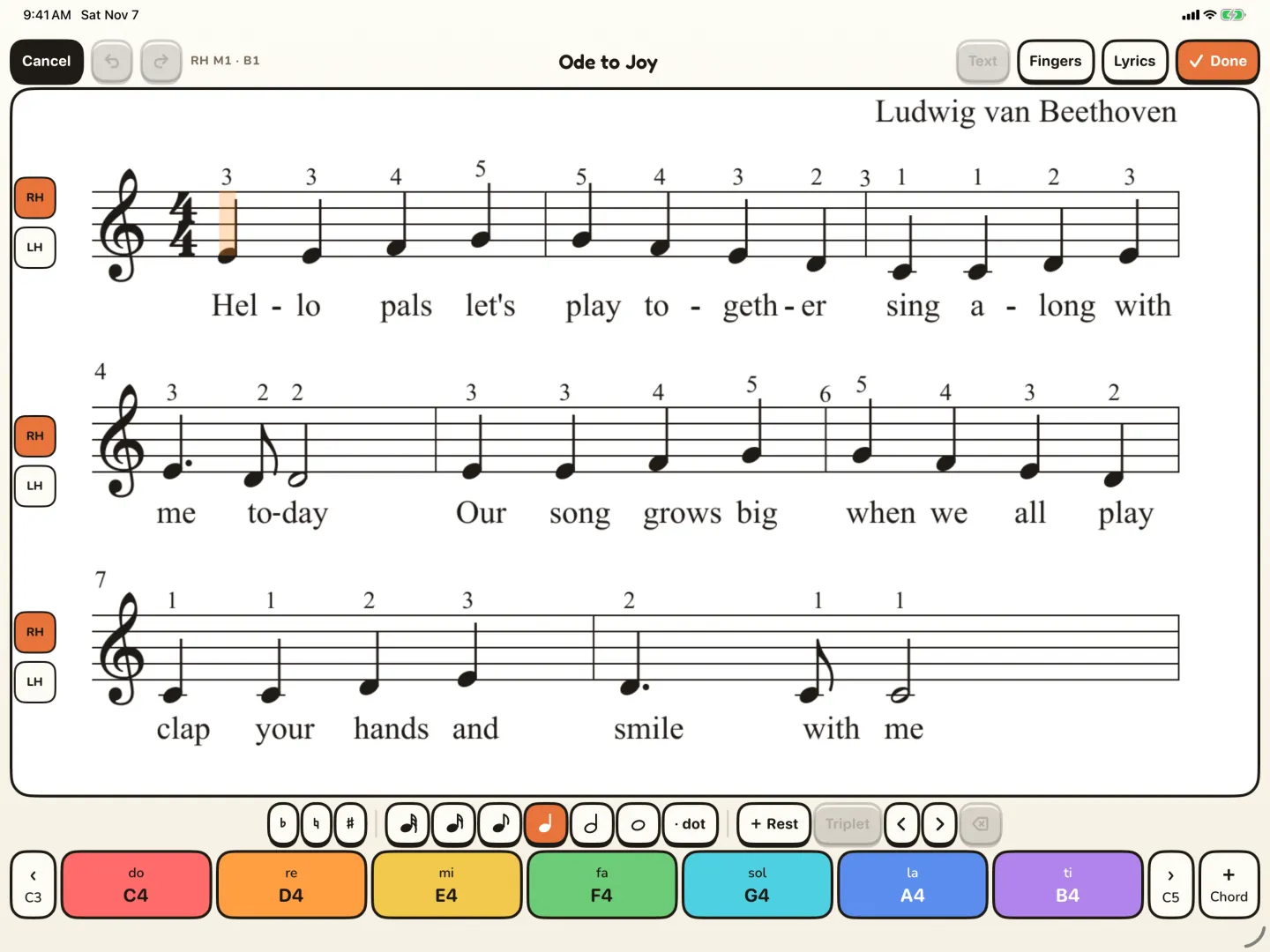
- Check the notes against the page. Correct anything that is wrong in the editor.
- Start Practice on iPad.
For more detail on photos, several pages and the editor, read how to turn sheet music into a digital score on iPad.
Why check the notes before practice?
A scan is a starting point, not a promise. Scans can contain errors. A wrong note that your child plays every day can be hard to unlearn later.
So check the song once, bar by bar, before the first practice. Use Show source page to compare the song with the photo of the page. If a note, a rest or a note length is wrong, fix it in the editor. The picture at the top of this post shows the editor.
You do not need to read music well to do this. Look for things that are different: a note on another line, a missing note, a different number of notes in a bar. If you are not sure, ask the teacher at the next lesson.
If a page does not read well, you can write the piece in the editor instead. If the teacher has the piece as a MusicXML file, you can import it.
How do we practice the piece during the week?
Do not play the whole piece again and again. Practice small parts, and put them together at the end of the week. Here is one way to plan a week:
| Day | What to practice | In Pianu |
|---|---|---|
| 1 | Listen to the whole piece. Play the first line slowly. | Listen, tempo |
| 2 | The bars the teacher pointed at, one hand at a time. | Loop, one hand |
| 3 | The same bars, hands together, still slow. | Loop, tempo |
| 4 | The next line. | Loop |
| 5 | The whole piece, slowly. Look at the feedback. | Feedback |
| 6 | The whole piece. Record a take for the teacher. | Record |
Change the plan to fit what the teacher asked for. Some weeks a single line is enough.
In Practice, the score waits for the right note, and you see feedback after each play. To see how a session looks, read a first practice in Pianu.
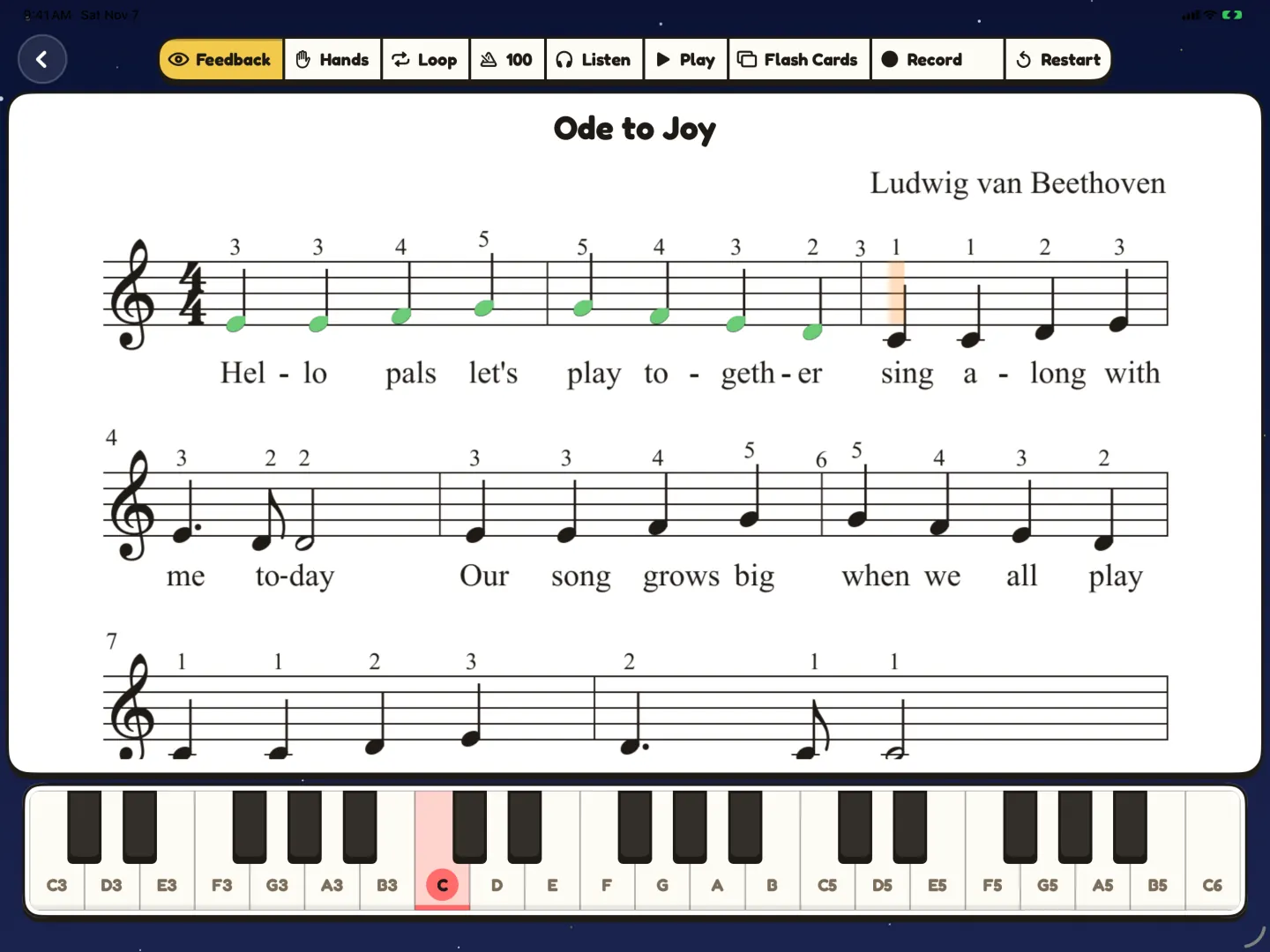
If one bar keeps going wrong, loop just that bar and slow the tempo. Your child can also play one hand while Pianu plays the other. The piano practice guide shows these tools step by step.
How do I show the teacher what we practiced?
Record a take near the end of the week. In Pianu, you can save a take, play it back and share it. Your child can listen to their own playing, and the teacher can hear how the week went.
Bring the original page to the lesson too. If you corrected notes in the scan, tell the teacher which ones. They can confirm that the song in Pianu matches the music they want your child to learn.
Read more about scanning sheet music to iPad.
Read more: Scan sheet music
Questions parents ask
How much of the piece should my child practice each day?
A small part. Ask the teacher which bars matter this week, and work on one or two of them each day. Play the whole piece near the end of the week.
I cannot read music. Can I still check the scan?
Yes. Compare the song with the photo of the page, bar by bar, and look for differences. Ask the teacher about any bar you are not sure about.
What if the teacher gives a new piece before this one is done?
Follow the teacher. Scan the new piece, and keep the old song in My Songs. Your child can still play it for fun.
How can the teacher hear how the week went?
Share a recording. In Pianu you can save a take, play it back and share it.
Try Pianu free for 7 days.
Try free for 7 days