
Piano for kids does not need to start with a big plan. Many young children do well with short sessions, one song and a grown-up close by. This guide shows a simple way to begin at home, and how a first practice looks in Pianu on iPad.
What does a child need to start piano at home?
Less than you think. To begin, a child needs:
- A few calm minutes each day, at about the same time.
- One short song that they like.
- A grown-up who sits with them and cheers them on.
- Keys to play. That can be a digital piano, a keyboard, or the on-screen keys on iPad.
If you have a digital piano or keyboard with USB or Bluetooth MIDI, you can connect it to iPad. If you do not, the on-screen keys are an easy way to try piano before you buy an instrument.
Do you have an acoustic piano? Pianu does not detect acoustic piano notes through the microphone. Your child can still use the on-screen keys in Pianu, and play the same song on the acoustic piano afterwards.
A comfortable seat also helps. Set the seat height so that your child's forearms are about level with the keys. If their feet do not reach the floor, put a box or a pile of books under them. Small, relaxed hands play more easily than tight ones.
How long should a young child practice?
Keep it short. For a child of 4 to 7, a few minutes of focused play is a good start. Stop while it is still fun, so that they want to come back tomorrow.
A small practice every day is easier to keep than one long session on the weekend. It also gives your child many small wins. When the routine is easy, you can add a minute or two.
Some families practice before breakfast, others after school or before the bath. The time does not matter much. What helps is a time that stays the same, so practice becomes a normal part of the day.
How does a first practice look in Pianu?
Here is a first session with the on-screen keys on iPad:
- A grown-up sets up Pianu and signs in. Add a learner for your child.
- Choose a song. Pick one from Song Shelf, or scan the page that your child's teacher assigned.
- Tap Listen, so that your child hears the music first.
- Start Practice. The score waits until your child plays the right note.
- Play to the end. After the play, you see feedback on the notes, the rhythm and the dynamics.
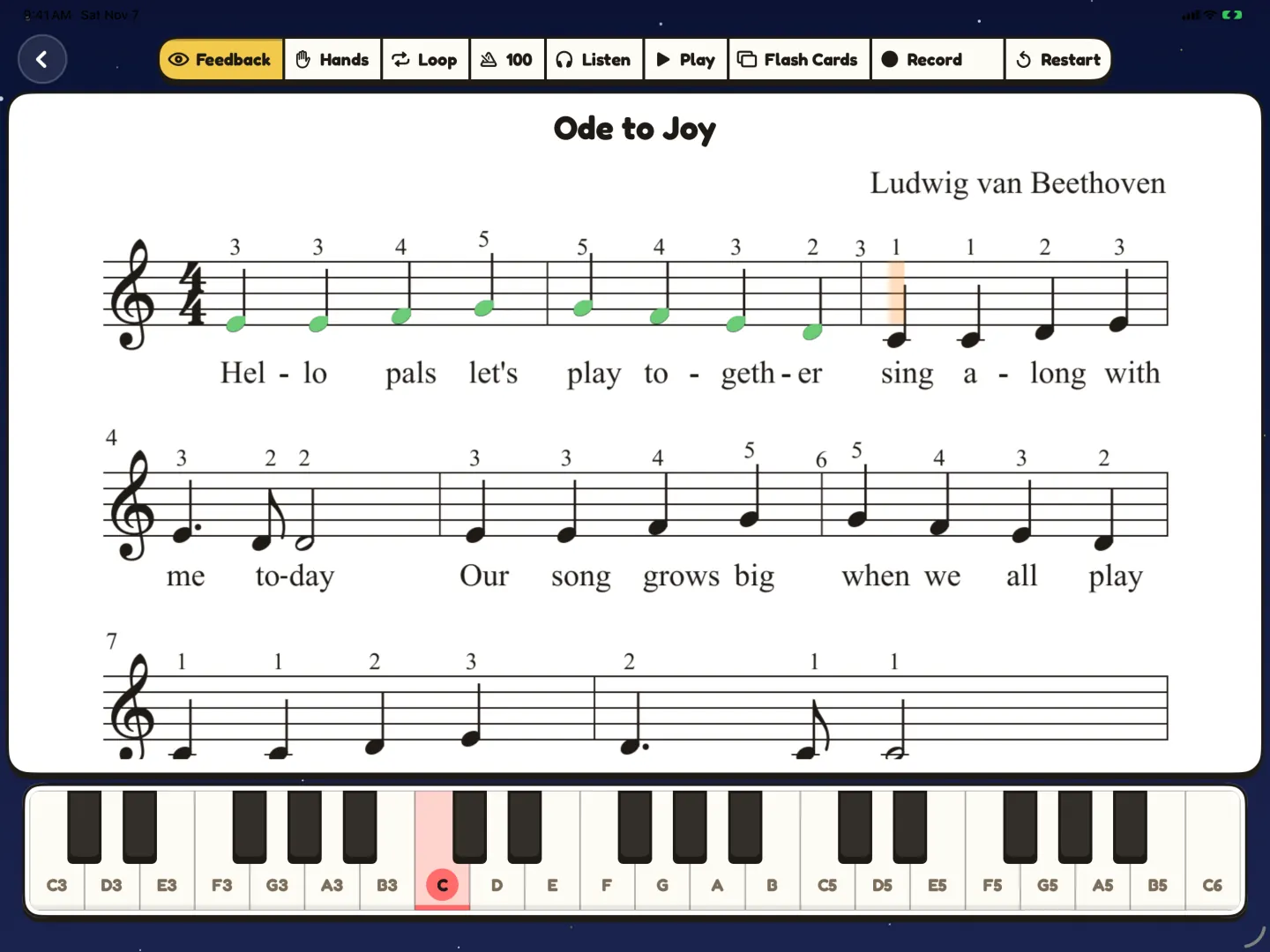
The score waits for the right note, so your child can go at their own speed. A wrong note shows on the screen, but there is no penalty. Your child just tries again. The notes played right turn green, as in the picture below.
Sit next to your child for the first sessions. Point to the next note on the score, and let them find it on the keys. Say what went well before you say what to fix. A take you record can help later: read why record your child's piano practice.
What if my child gets frustrated?
That is normal. Small hands and new notes take time. These things help:
- Make the part smaller. Practice one bar, or one hand. In Pianu, your child can play one hand while Pianu plays the other.
- Slow down. At a slower tempo, the next note is easier to find.
- Praise the effort ("You kept going!"), not only the result.
- Stop on a good note, and come back tomorrow.
For a step-by-step plan for the bar that keeps going wrong, read how to fix the one hard bar.
How can a young child learn to read notes?
Reading notes is a different skill from playing. Short games help a child connect the note on the page with the key under their finger.
In Pianu, flash cards are made from the notes and bars of the song your child is learning. Your child finds the right key for each card. There is no timer, so there is no rush. For more games like this, read how to help kids read notes faster.
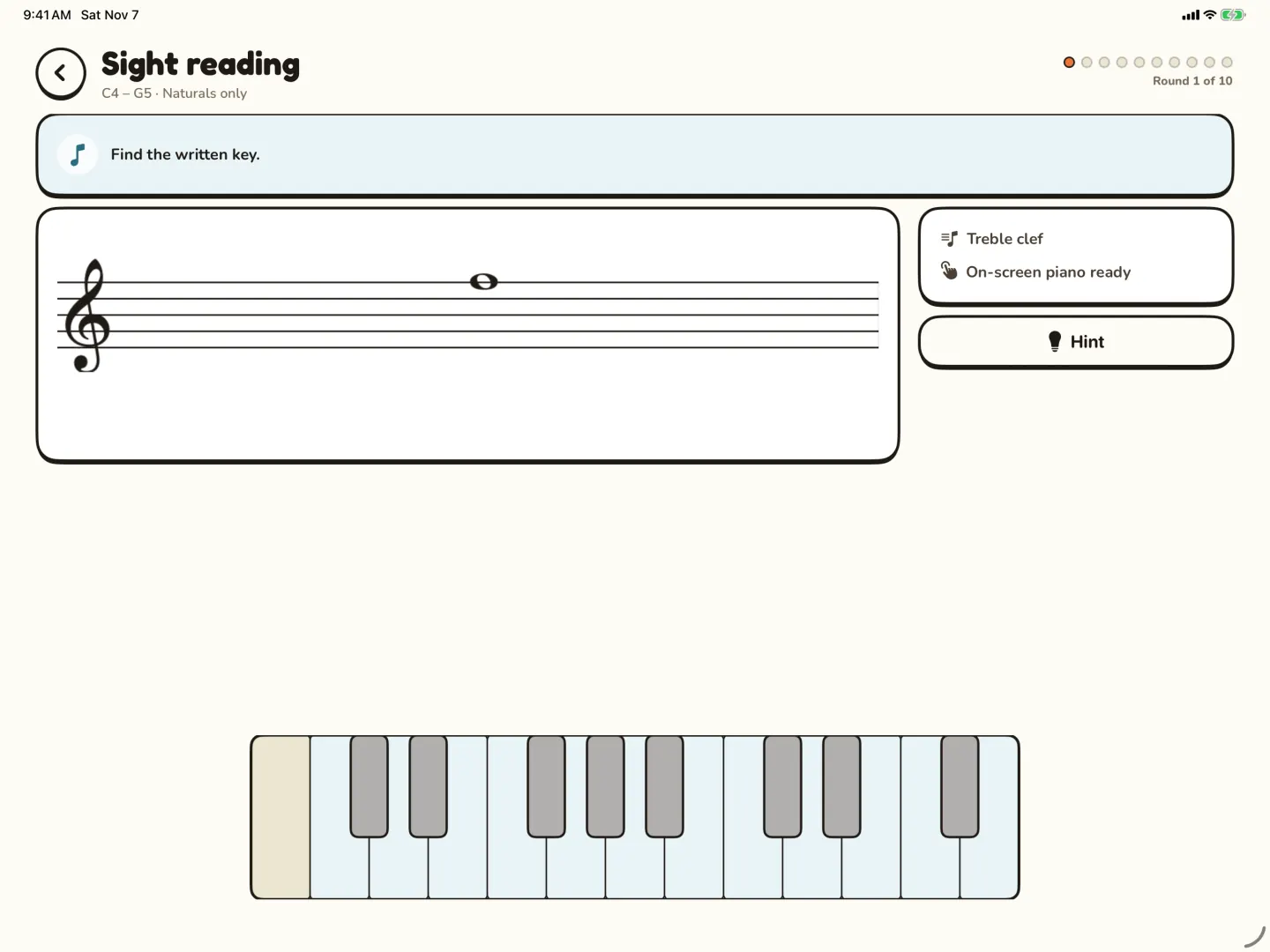
For more practice, Training on iPad has Sight Reading and Rhythm Reading. Sight Reading shows a written note, and your child finds it on the keys. The picture at the top of this post shows a Sight Reading round.
Do we need a piano teacher?
A teacher helps a lot, and an app does not replace one. A teacher shows good hand position, picks the next piece and hears what a child needs. If your child takes lessons, use home practice for the piece that the teacher assigned. You can scan that page into Pianu, so practice at home follows the lesson.
If you start without a teacher, keep the songs simple and the sessions short. When your child asks for more, it can be a good time to look for lessons.
To see all the practice tools in one place, read about piano practice for kids on iPad.
Read more: Practice guide
Questions parents ask
Is 4 too young to start piano?
Not always. Pianu is made for children from 4 to 7. At 4, keep each session very short and playful, and stop while your child still enjoys it.
Should we buy a keyboard before we start?
You can wait. Start with the on-screen keys on iPad and see if your child enjoys it. If you buy a digital piano or keyboard later, choose one with USB or Bluetooth MIDI so it can connect to iPad. Read the MIDI piano guide first.
What should the first song be?
A short song that your child likes, with few notes. Pick one from Song Shelf, or use the piece from your child's teacher.
Should I sit with my child while they practice?
Yes, at the start. Sit next to them, point to the next note and cheer them on. As your child gets older, you can step back a little.
Can brothers and sisters share one iPad?
Yes. Each child can be a separate learner in Pianu, with up to 6 learners. Every learner keeps their own songs, Goals and progress.
Try Pianu free for 7 days.
Try free for 7 days